Product Overview
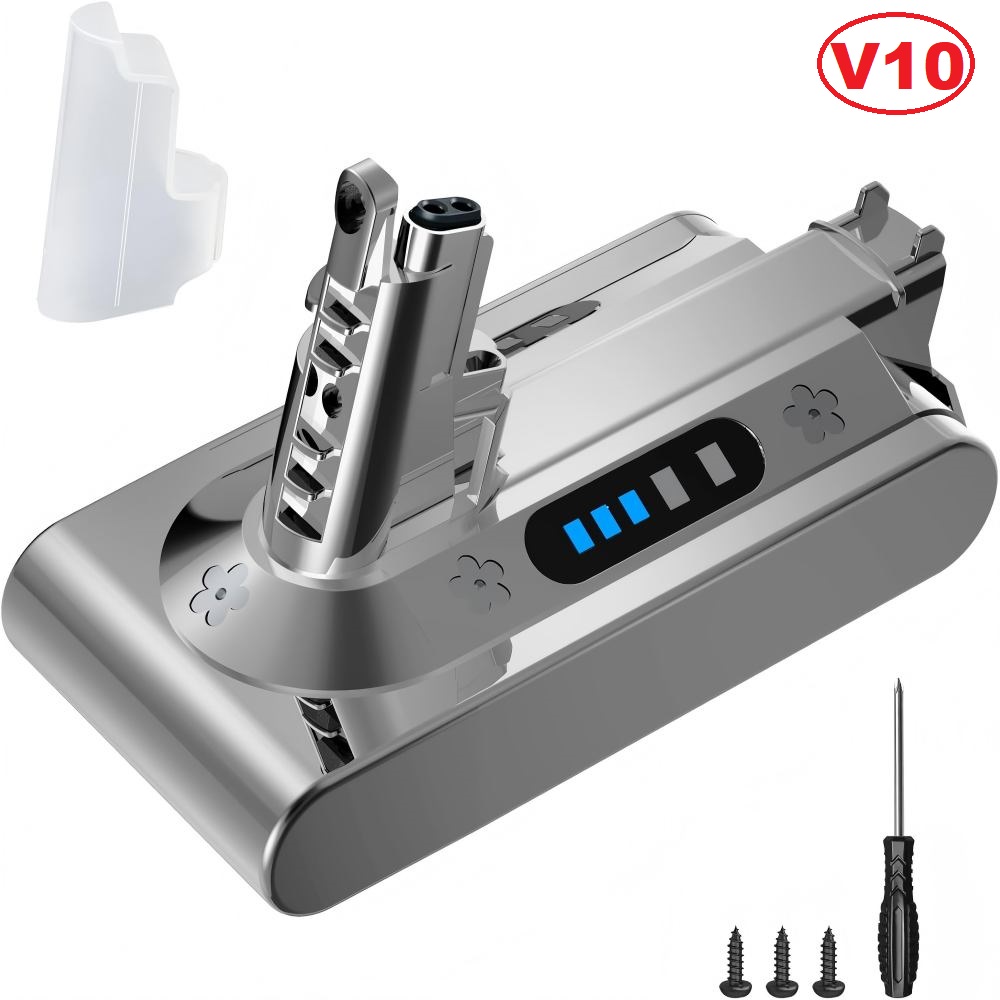
When a cordless vacuum starts stopping after a few minutes, or needs two charges to finish one floor, the cells in the handle have usually reached the end of their working life while the motor, bin and tools are still perfectly good. The pack is built with upgraded cells rather than the standard set, and that is where the longer running time comes from: same voltage, same connector, more energy in reserve. Everything the machine needs sits inside the housing — the cells, the protection circuit and the sliding terminal that mates with the handle — so there is nothing to wire, solder or reprogram. The same pack serves as a Dyson SV12 battery just as readily as a V10 one, because the vacuum carries both codes depending on where it was sold. It suits the stick vacuums people keep for kitchens, stairs and cars, whether the machine is in daily family use or only comes out at weekends.
Key Features
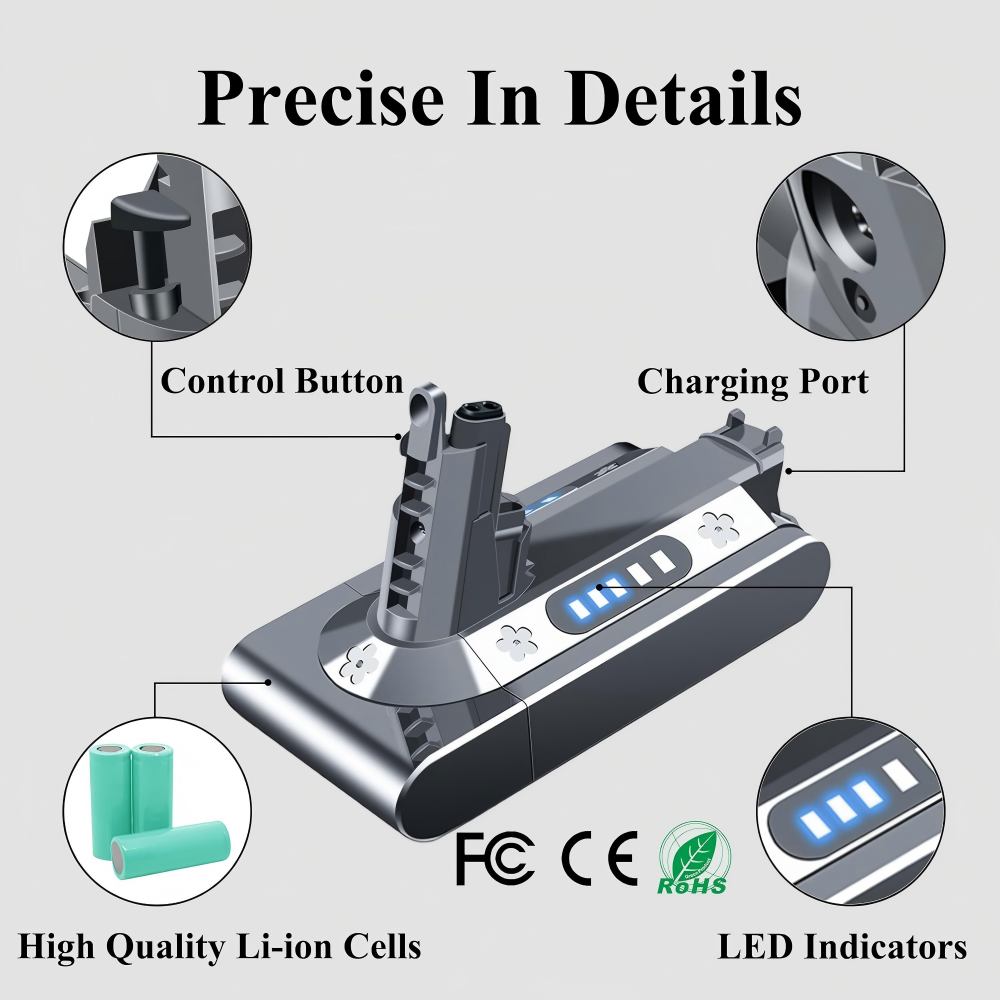
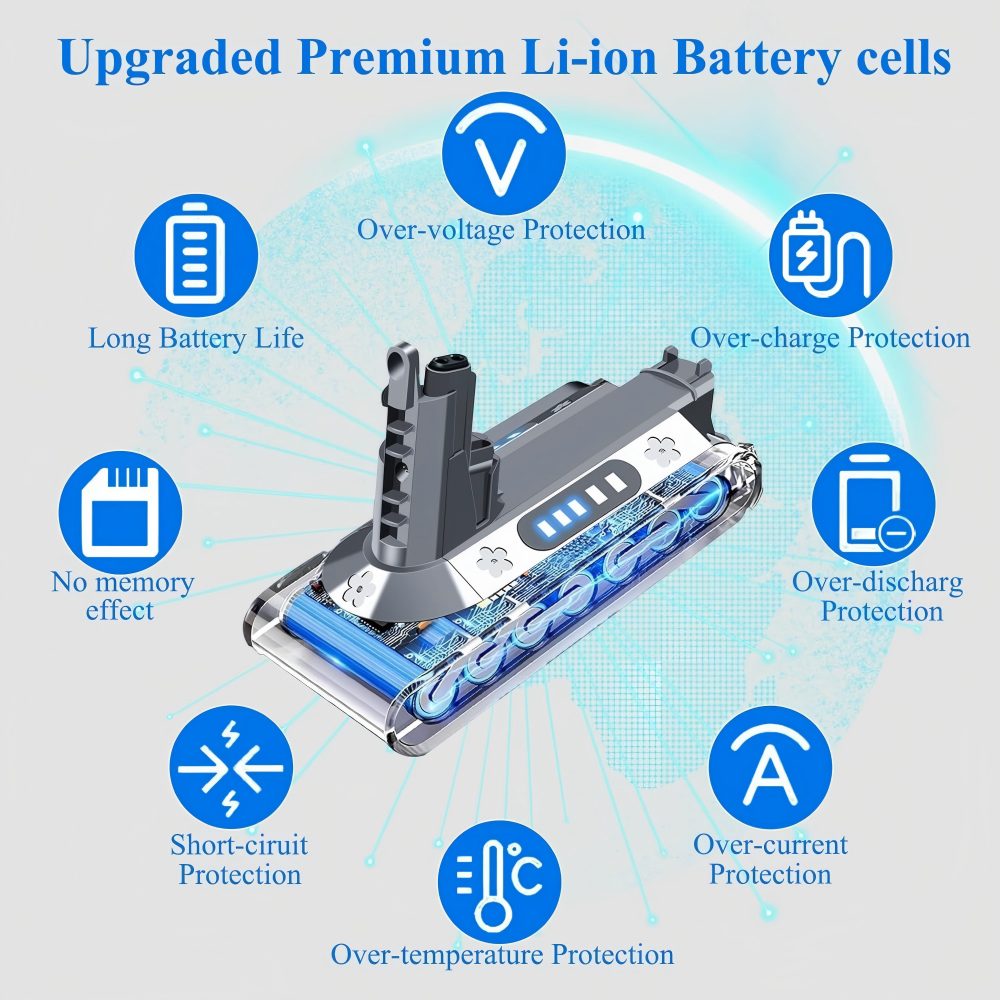
- Protection circuit on board. The Dyson SV12 battery carries its own chip against overcharge, over-current, overheating and short circuits, so a long charge or a long cleaning session does not push the cells past their limits. - Even power down to the last minute. Discharge stays stable as the cordless stick vacuum battery empties, so suction holds its level instead of fading away in the final few minutes of a run. - Sliding terminal, no wiring. The connector on this Dyson V10 spare battery slides onto the handle exactly as the original does, with no leads to cut, splice or tape up. - Built to the original footprint. Same slot, same fixing points, same cover: the Dyson V10 battery you take out and the one you put in sit identically in the housing.
Compatibility & Fit
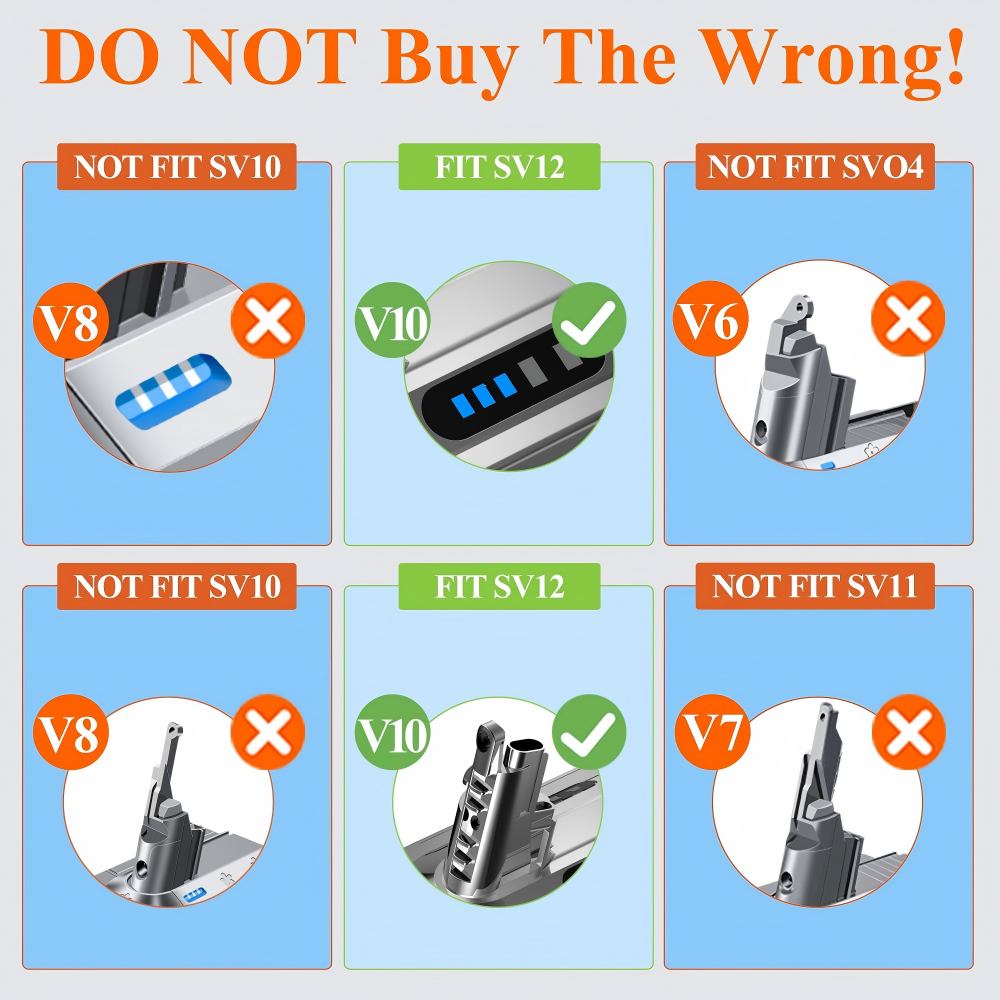
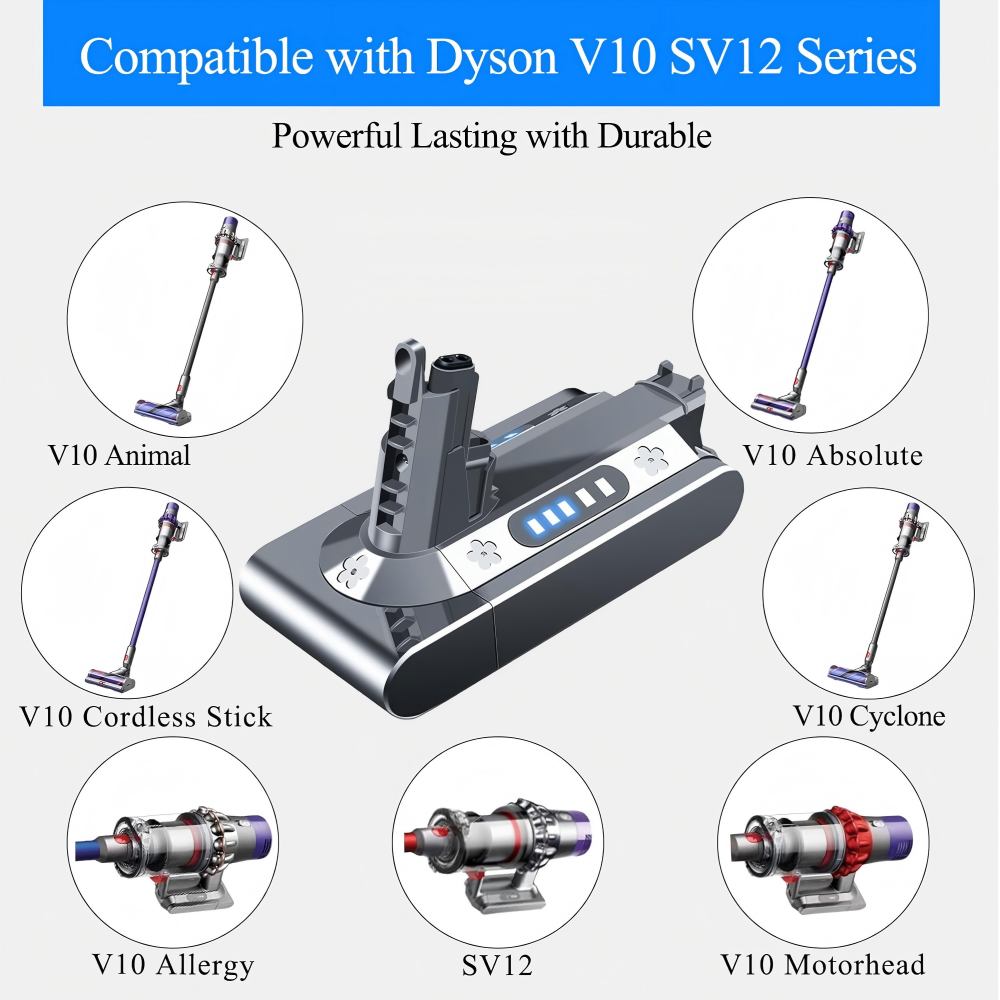
| Fits | Dyson V10 and SV12 cordless stick vacuums — this replacement battery for Dyson V10 covers both labels |
| V10 variants | Fluffy, Fluffy+, Absolute, Motorhead, Trigger, Animal |
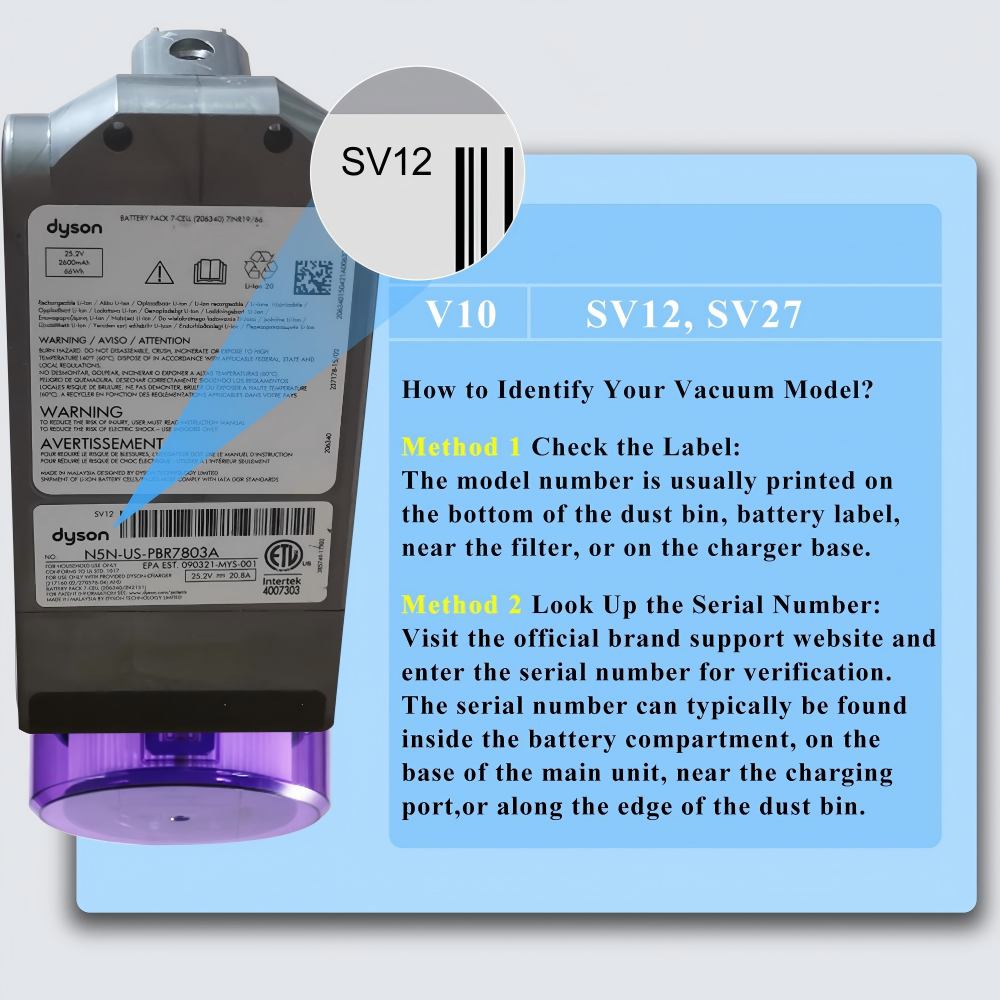
| Later labels | SV12, SV27 — this Dyson SV12 battery covers both labels |
| Does not fit | V6 (SV03–SV09), V7 (SV11), V8 (SV10), V11 (SV15/SV16) |
| Terminal | Sliding connector matched to the V10 handle, as on the original Dyson vacuum battery |
| Charging dock | Works with the wall-mounted V10 dock |
| Battery cover | Replacement cover supplied with the Dyson V10 spare battery |
| Fixings | Screws and a screwdriver included |
Installation
- Identify the machine first. The model code sits on the base of the dust bin, on the old battery label, near the filter or on the charger base, and the serial number confirms it; a V8 and a V10 look alike at a glance, but only the Dyson V10 battery fits this slot.
- Switch the vacuum off, empty the bin and undo the screws that hold the cover over the Dyson vacuum battery.
- Slide the old pack out and push the new one in until the terminal seats fully. The whole vacuum battery replacement is a straight swap — no wiring, no adapters, no reset.
- Refit the cover and tighten the screws.
- Put the machine on charge and check that the indicators on the replacement battery for Dyson V10 light up.
- Run it once with an empty bin and a clear wand to confirm suction and trigger response before you put everything back in the cupboard.
Charging & Battery Indicators
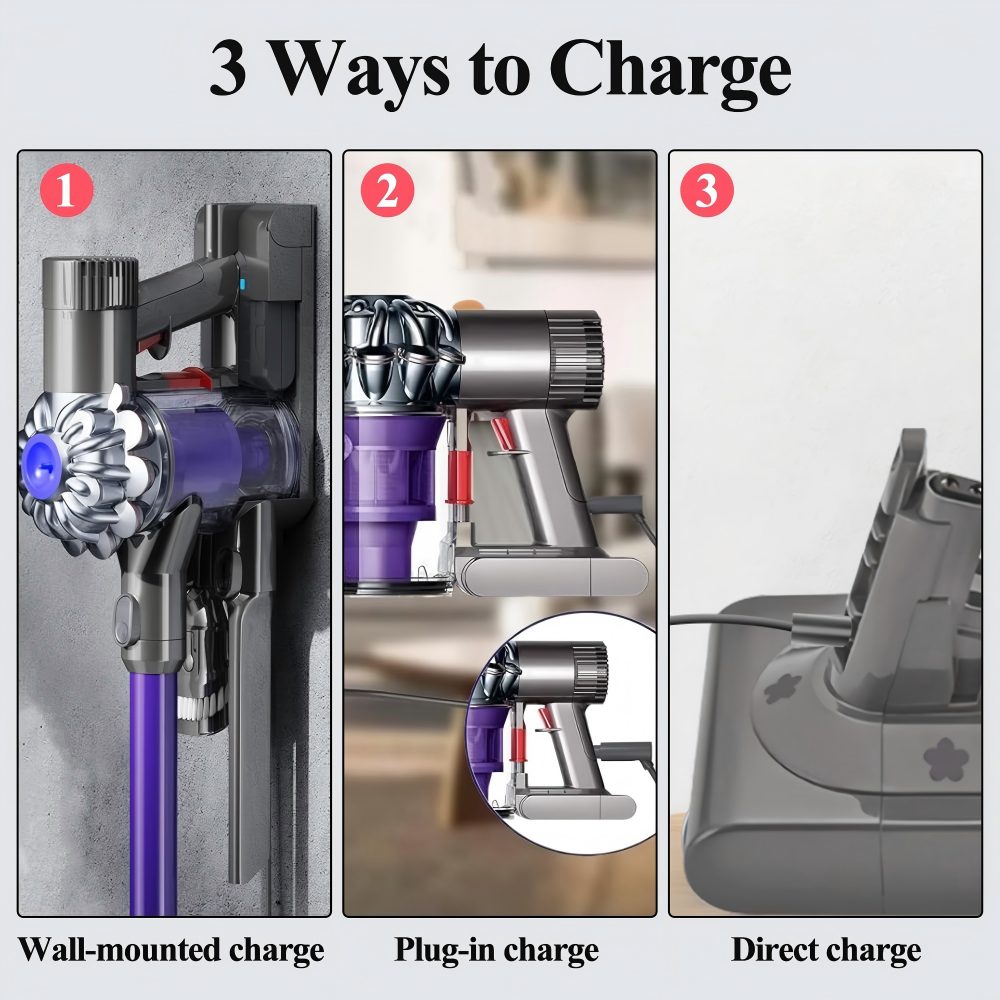
- On the wall-mounted dock. Clip the vacuum into its dock as usual and the pack charges through the handle; nothing about your routine has to change.
- With the plug-in charger. The 25.2V lithium-ion battery can also take charge straight from the mains when the machine is not on a dock.
- Direct charge off the machine. A pack that is not fitted to the vacuum can take charge on its own — useful when the vacuum lives in a car or the dock is in another room.
- Reading the lights. Press the button on the Dyson V10 battery and the blue indicators show roughly how much charge is left; they climb as the pack fills and settle when it is full.
- Top up whenever it suits. There is no memory to reset on a Dyson vacuum battery, so short charges between rooms are fine and kinder than running it flat every single time.
- Two packs, no waiting. Rotating a charged pack with a Dyson V10 spare battery means the vacuum goes back to work instead of sitting on the dock for an hour.
Care & Storage
A cordless stick vacuum battery ages quickest when it is hot and empty, and a vacuum is a warmer place than most owners expect — the pack sits beside a motor, often in a garage or a cupboard next to the boiler. Keep the machine out of a hot car and off a sunny shelf, and charge it at room temperature rather than in a freezing workshop. If the vacuum will sit for a month or more, store the pack part-charged rather than flat. A pack left at zero for weeks is the one that comes back weak in spring, and a vacuum battery replacement fitted in cold weather should be allowed to reach room temperature before its first charge. Filters cause more of the complaints than the pack does. Wash the filter monthly, let it dry completely — a damp filter drags hard on the motor and shortens every run — and clear hair from the brush bar. Keep the sliding terminal and the contacts inside the handle clean and dry so the joint seats properly every time you clip the pack back on. Used steadily, the pack lasts longest when it is worked rather than parked.
Specifications
| Battery type | Lithium-ion |
| Rated voltage | 25.2V |
| Capacity | Upgraded cells for longer runtime; the rated figure is printed on the pack label |
| Protection | Overcharge, over-current, over-temperature and short circuit |
| Cell compliance | FCC and RoHS |
| Housing | Flame-retardant case with sliding terminal |
| Charge indicator | LED lights on the pack |
| Charging routes | Wall-mounted dock, plug-in charger, direct charge |
| In the box | Vacuum battery replacement, battery cover, screwdriver, screws |
Ordering & Delivery
- Check the machine before ordering — model code and connector — so the pack matches the handle you already have.
- Choose where it ships from at checkout: China, Europe or the UK, whichever is closest to you.
- Dispatch. In-stock orders are normally sent out in 3-7 days; custom or made-to-order quantities take about 35 days.
- Delivery. Swift delivery from local stock, with 3-7 days for shipping once the parcel leaves the warehouse.
- Warranty. Every order is covered by our 5-year warranty, and the pack itself carries a 12-month limited product warranty.
- Returns and support. If the pack is not right, the 30-day return window runs from delivery; message us at sales@xinyubattery.com and we will answer around the clock.
About Our Company
Xinyubattery is the brand of Shenzhenshi Xinyu Newenergy Technology Co.,LTD, a Shenzhen-based company founded in 2016 and working in green power solutions for more than ten years. Through a vetted network of production partners, we bring a broad range of power products together in one place and consolidate each order for you. Products are checked before dispatch, packed for export and shipped from local stock, and our team stays available for technical advice, fitting questions and after-sales help.
FAQ
Is this a genuine Dyson battery?
No — it is a compatible replacement made by Xinyubattery, not a Dyson original. It is built to the same 25.2V lithium-ion battery specification, with the same sliding connector and the same mounting points as the pack it replaces, and it carries its own protection circuit. The Dyson name is used only to show which machines it fits.
Will the pack change the weight or balance of the vacuum?
The pack sits exactly where the original sat and uses 25.2V lithium-ion battery cells, so the weight stays in the same place in the handle and the balance in the hand feels unchanged. If you need the exact weight of the current batch, ask us and we will send the figure before you order.
Why does the vacuum still cut out after a few minutes with a new pack?
Usually the pack is not the cause. A clogged or damp filter, a blocked wand or an overfull bin will make even a new cordless stick vacuum battery look like the problem, because the machine pulses to protect the motor. Wash the filter, let it dry completely, clear the wand and empty the bin, then try again. If it still stops, the trigger or motor may need attention.
Can I keep using the charger and dock I already have?
Yes — plan on charging the vacuum the way you always have. The pack sits in the handle and the machine hangs on your existing wall dock with no change to the bracket or its fixings, so there is nothing to re-drill or move. If the vacuum lives somewhere without a dock — a garage, a shed, a holiday home — the plug-in charging lead still does the job on its own: stand the machine somewhere dry and charge it there. Between cleans you can leave the pack in the handle and let the vacuum sit on the dock ready to go, rather than pulling the battery out each time. One thing worth checking: use the charger that came with your V10 rather than a lead from another Dyson model or a generic universal adapter, and look at the label on the plug body if you are not sure which you have. If the vacuum was bought second-hand without a charger, the pack is a battery only, so you will still need to source a V10-compatible charger. Give a new pack a full charge before its first run, then carry on with your usual routine.
Is it safe to leave the pack on the dock once it is full?
Yes. The protection circuit stops the charge once the pack is full, so leaving it on the wall-mounted dock overnight is not a problem. If the dock is in an unheated garage, bring the machine indoors to charge during very cold weather so the cells are not filled below their comfort zone.